The Accessibility Statement That Protects You, and the One That Doesn't
A claim of full compliance is a liability. The seven sections that make an accessibility statement honest, useful to disabled visitors, and survivable in a complaint.

The statement that made things worse
A dental practice published an accessibility statement with a single sentence: "This website is fully compliant with WCAG 2.1 AA."
It wasn't. The booking form had unlabelled fields, the contrast on the grey body text failed, and the online form couldn't be completed with a keyboard.
When a complaint arrived, that sentence was the first thing quoted. A claim of full compliance is a statement of fact, and a statement of fact that is demonstrably untrue is considerably worse than having published nothing at all.
The practice would have been in a stronger position with a plain, honest page that said what it had fixed and what it hadn't.
What an accessibility statement is for
Two audiences, and the statement serves both with the same document.
A visitor who hit a barrier needs to know how to get what they came for. That's the real purpose, and it's the part most statements omit entirely.
Anyone assessing the business, from a procurement officer to a complainant's solicitor, needs to see that accessibility has been considered deliberately, that known issues are documented, and that there's a route to raise a problem.
Neither audience wants a badge. Both are unimpressed by a claim of perfection.
What the generated ones get wrong
Overlay vendors generate statements automatically, and the pattern is consistent: a claim of conformance, a date, a contact form, and a link to the vendor.
Four problems with that:
The claim is false. The tool covers a narrow set of presentation changes; it cannot make the site conform. Claiming otherwise is the exact conduct the US FTC settled with a major vendor over in January 2025.
There's no list of known issues, which is the one section that demonstrates good faith.
The contact route often goes to the vendor, not to someone who can fix anything.
The date is the install date, not the date anything was last reviewed.
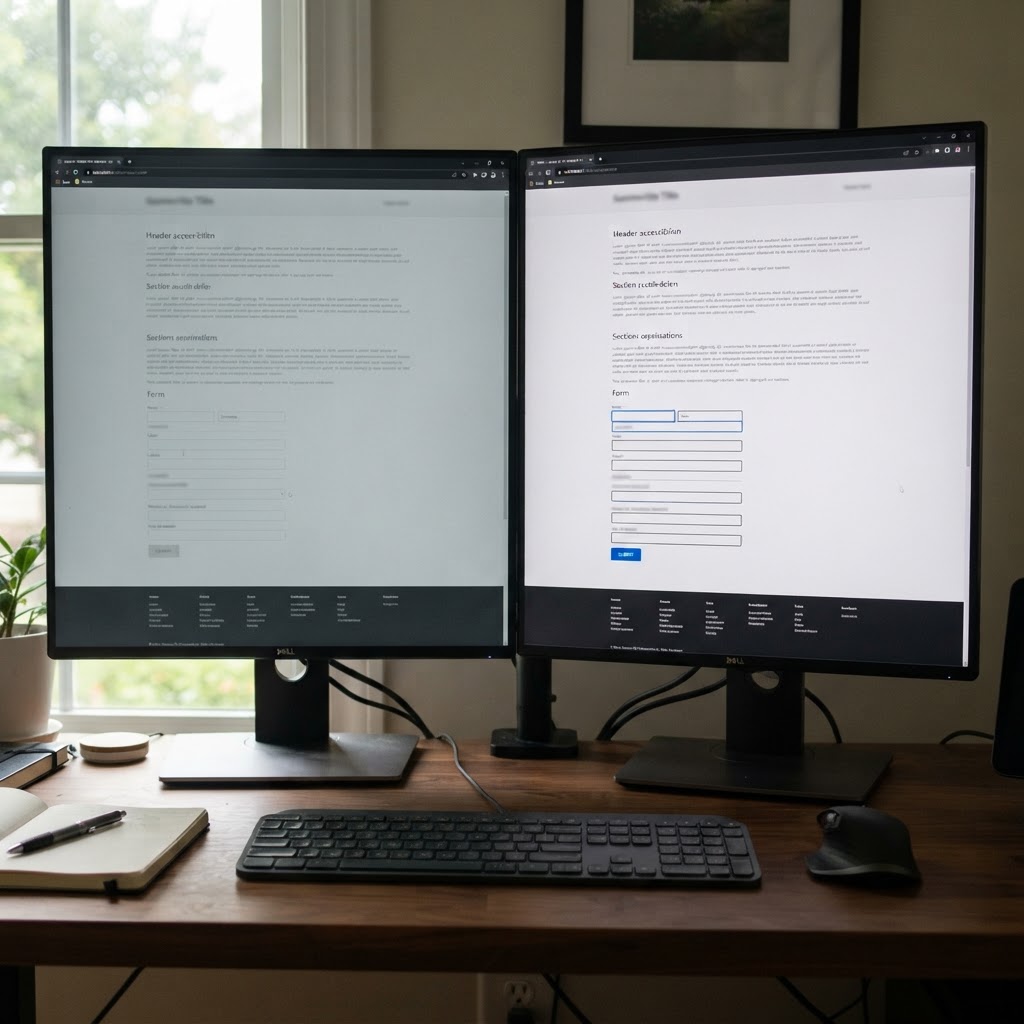
Before and after the same page. The statement describes this difference honestly, rather than claiming the fix already happened.
The seven sections that make a statement work
1. A plain commitment, with a standard named
"We aim to meet WCAG 2.2 Level AA." Not "we are compliant". Aim is a statement about intent, and intent is what you can honestly attest to.
If you've had an audit, say when and against what.
2. What you've done
Specific, and short. "We rebuilt the booking form with proper labels and keyboard support in March. We increased text contrast across the site. We added captions to our three videos."
Specific measures are credible. "We take accessibility seriously" is not.
3. What is not yet accessible
The section everyone deletes and should keep.
"Our price list PDF is not yet tagged for screen readers. We can provide it as an accessible web page on request, usually within one working day."
A named limitation with a workaround is the difference between a business managing a known issue and a business making claims it can't support.
4. The alternative route, which is the point
For every known barrier, the fastest way to get the thing done: a phone number, an email address, a person's name. Answered by a human, within a stated time.
"Call 01234 567890 and ask for Sam, Monday to Friday, 9 to 5. We can read the price list over the phone or send it as a plain text page."
This is the section that actually serves a disabled visitor, and it's the one automated statements never include.
5. How to tell you about a problem
An email address and a phone number, monitored, with a commitment to respond. Not a form that generates a ticket nobody reads.
Include a fallback for people who can't use the form.
6. Which assistive technology you've tested with
Honest and specific: "Tested with NVDA and Firefox on Windows, and VoiceOver on iOS, in October 2026." This signals a real testing process, and it sets expectations about what you can support.
If you haven't tested with a screen reader, don't claim to have.
7. The date and who owns it
Published date, last reviewed date, and a named role responsible. A statement with no review date is a statement nobody maintains.
Where to publish it
A page linked from the footer of every page, in the same position throughout, and linked from your contact page. Name it "Accessibility" rather than burying it in the terms.
Publishing it isn't just good practice: WCAG 2.2's 3.2.6 (Consistent Help) expects help mechanisms such as contact routes to appear in the same relative place across pages, and a consistent footer link is the simplest way to satisfy it.
The mistake of publishing before fixing
An honest statement published alongside real fixes is a strength. An honest statement published instead of fixes is evidence.
If your statement says the booking form has unlabelled fields and you haven't started fixing them, you've documented a known failure with a date on it. That may still be better than silence, but only if the fix is genuinely in progress.
The order that works: audit, fix the things that block the main flow, write the statement with what remains, then keep fixing on a schedule.
What not to do
- Claim full conformance. You cannot verify it, and it's the claim that gets quoted back at you.
- Use a generated badge from a widget vendor. It's their product claim, not your assessment.
- Point the contact route at the vendor. Complaints need to reach the business.
- Copy another company's statement. The known issues and contact details are the parts that matter, and both will be wrong.
- Let it go stale. A statement dated three years ago, on a site rebuilt since, is misleading by omission.
- Use it as a replacement for an audit. A statement describes your position; an audit establishes it.
A short version that works
| Section | What it has to contain |
|---|---|
| Commitment | The standard you aim at, never a claim of compliance |
| What you have done | Named fixes, with dates |
| What is not accessible yet | Known barriers plus a working alternative |
| Alternative route | A phone number and a named person, not a form |
| Report a problem | Monitored email and phone, with a response time |
| Assistive technology tested | What you tested with, and when |
| Date and owner | Published, last reviewed, and the role responsible |
If you need something live this week, this is honest and sufficient:
Accessibility We want everyone to be able to use this website and we're working towards WCAG 2.2 Level AA.
What we've done: added labels to all form fields, increased text contrast, and added a keyboard-accessible menu. What we know isn't right yet: our price list is a PDF and isn't screen-reader friendly. Call us and we'll read it to you or email a plain-text version. Tell us about a problem: [email] or [phone], Monday to Friday 9 to 5. We aim to reply within two working days. Last reviewed: 2 November 2026.
Four short paragraphs. It commits to nothing it can't evidence, it gives a disabled visitor a route that works today, and it survives being read out in a complaint.
Where to start
Run your own site with a keyboard for ten minutes, note what breaks, and write the statement from what you found. Then fix the first thing on the list.
A free digital presence audit on Webcheckhub covers accessibility basics within website health, which gives you the list of known issues a statement should name. When you want the audit documented and the remediation done properly, Solutions Elites handles accessibility work for small businesses.
Sources and further reading
These references were used to check the facts in this article. Quoted or adapted material is used under the licence shown beside each source, with credit to the original publisher.
Watch the explainer
Videos are embedded with YouTube's official player and credited to their creators. We never re-host third-party video; playback and reuse follow the licence stated by the owner.
Credited to its creator and original publisher; playback follows the creator's own terms.
5
Core Areas Audited
28+
Checkpoints Scanned
100
Free — No Credit Card
Run your free digital presence audit
See exactly where your business stands across Google, website, social media, SEO, and conversion — with a client-ready report.
Check Your Digital Presence — Free
Webcheckhub Editorial Team
PublisherPublished by Webcheckhub, a digital presence audit platform. Our articles are researched and produced by our editorial team, with AI assistance for drafting, and reviewed for accuracy against current industry standards and Google's official guidelines.
© 2026 Webcheckhub. All rights reserved. This article is original content and may not be reproduced without written permission.
Digital growth partner for Webcheckhub
Contact us
Questions about this guide, or want your website, Google profile or automations handled by specialists? Reach out to the Solutions Elites team and we'll reply with a straight answer.